
For planners who keep a spreadsheet
Your spreadsheet, grown up.
Keep your method. Gain your phone, your bank’s file and a forecast of where your year will land.
You built a spreadsheet because you like to see everything. It works, at your desk. But receipts pile up between sittings, the credit card bill never fits neatly into a month, and only you know which cells not to touch.
Quantum Budget started as a spreadsheet, and it still thinks like one.
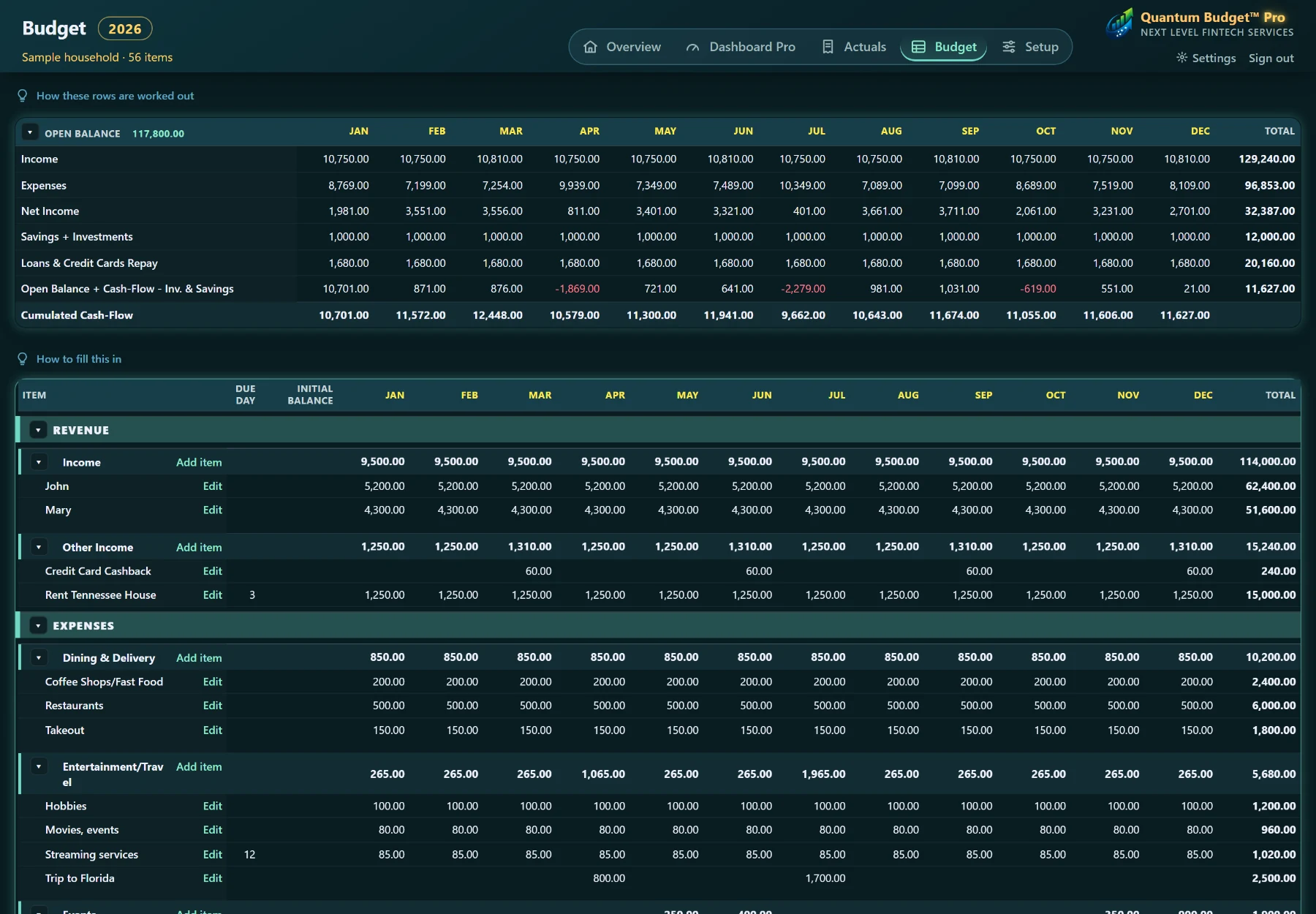
The year on one screen: every month across, every line down, each bill with its due day.
What stays the same
Your method comes with you.
- Your year, month by month. Income, spending, savings and debt payments for all twelve months, with each bill’s due day.
- Budget beside actual, line by line. Dashboard Light lays out your year the way a good workbook does.
- You decide what each line is. Type entries yourself, or bring in your bank’s file. Nothing is guessed behind your back.
- Your figures stay yours. Download everything as a spreadsheet whenever you like.
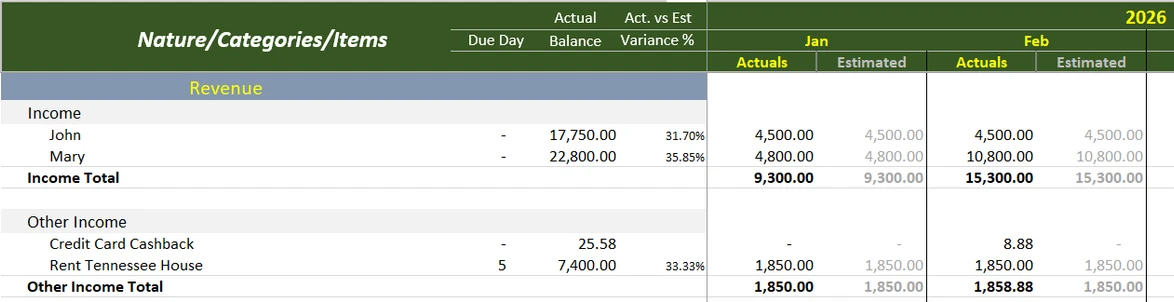
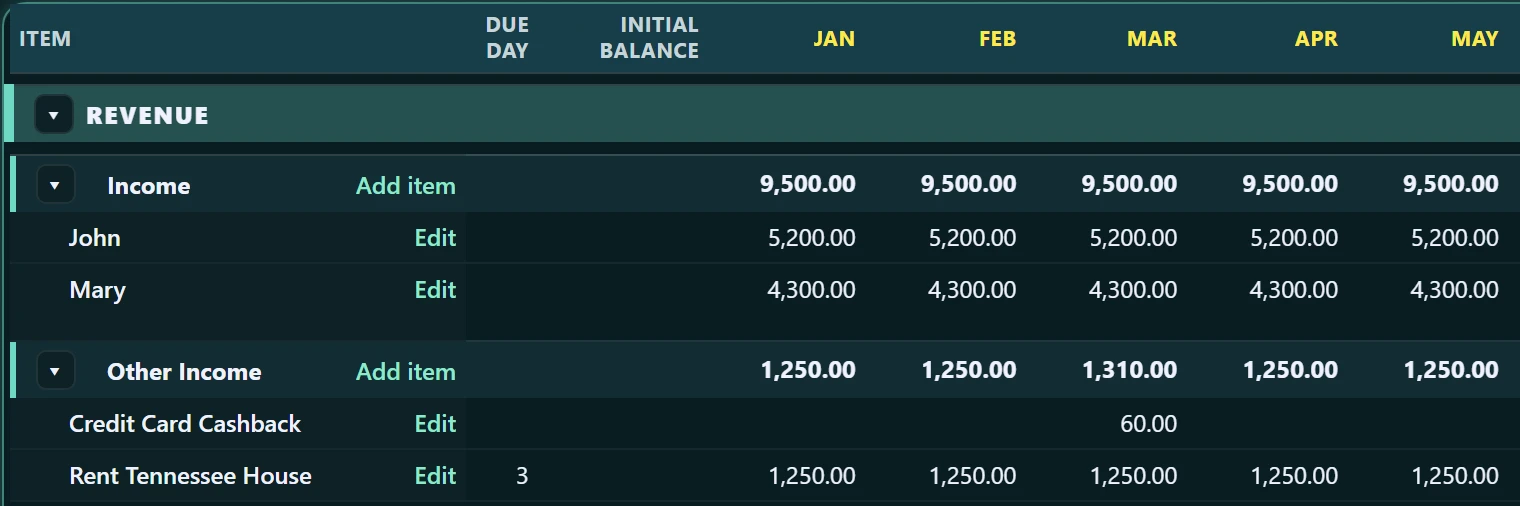
The same lines with their due days: above in the Excel workbook, below in Quantum Budget online.
What you gain
Less typing, and your plan in your pocket.
- Entries from anywhere. Add Quantum Budget to your phone’s home screen and enter a purchase on the spot, or snap the receipt and sort it later.
- No more retyping. Bring in the file your bank already offers (CSV, OFX or QFX). Lines you’ve already entered are recognized, and next month’s file arrives filled in.
- Less typing, too. Type a supplier once, and next time its category and budget line fill in by themselves.
- Credit cards that fit the month. Each card’s statement and due dates, and “Available now”: the money you can really use today, after what’s due next on your cards.
- Your pace at a glance. Every category against where it should be by today. Bills count on their due day; everyday spending is paced across the month.
- Where the year will land (Pro). A forecast of the rest of your year that updates as you enter.
- Two people, one plan. On the phone and the computer, with every entry showing who in the household made it.
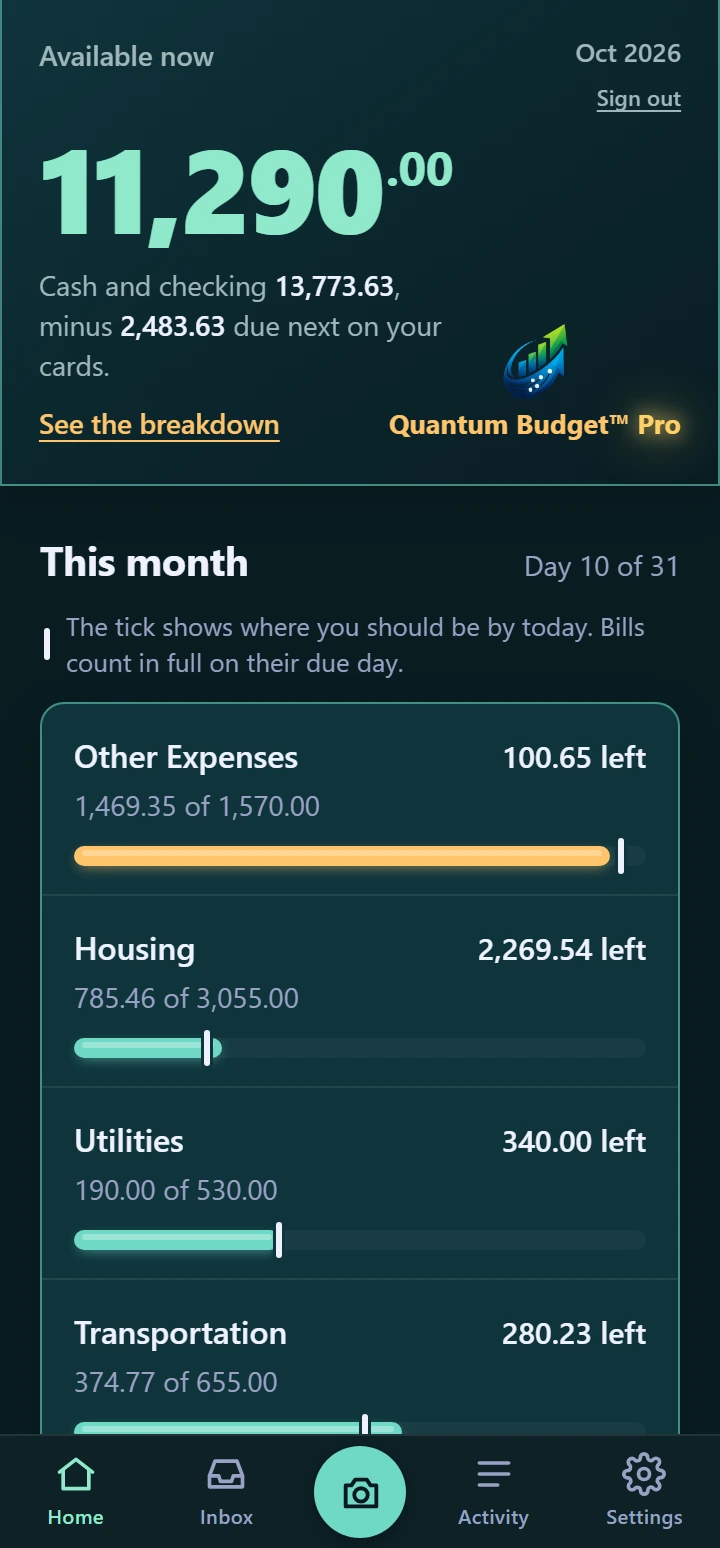
The month on a phone: what is left on each line, and where it should be by today.
Where you start
From wherever your figures are now.
Already keep a Quantum Budget workbook?
Your Light or Pro workbook has an Export for Online App button. Use it, bring the file into the app, and carry on from where you are.
Keep your own spreadsheet?
Set up your year once in Quantum Budget, the way you already plan it. From then on, your bank’s file does most of the typing. Your old spreadsheet stays where it is, as the record of the years before.
Rather stay in Excel?
The Quantum Budget workbooks are still sold, for Microsoft Excel on Windows: Light US$29.99 and Pro US$49.99, paid once. When you’re ready to move, the app brings them in.
Try it for 30 days
Thirty days free, on either plan.
Light is US$4.99 a month or US$39 a year. Pro is US$8.99 a month or US$79.99 a year. Your card is taken at the start and not charged for 30 days. Cancel within them and you pay nothing, and a reminder comes by email three days before the first charge.
The founders’ offer is on the plans page.
Quantum Budget doesn’t connect to your bank, doesn’t hold or move money, and gives no financial advice. It shows your own figures clearly, so you can decide.