
Overview
Managing your finances requires a tool that is both a rearview mirror for your spending and a crystal ball for your future. This budget spreadsheet is designed to transition you from reactive spending to proactive wealth management, with a specific focus on debt elimination and long-term forecasting.
Strategic Financial Planner
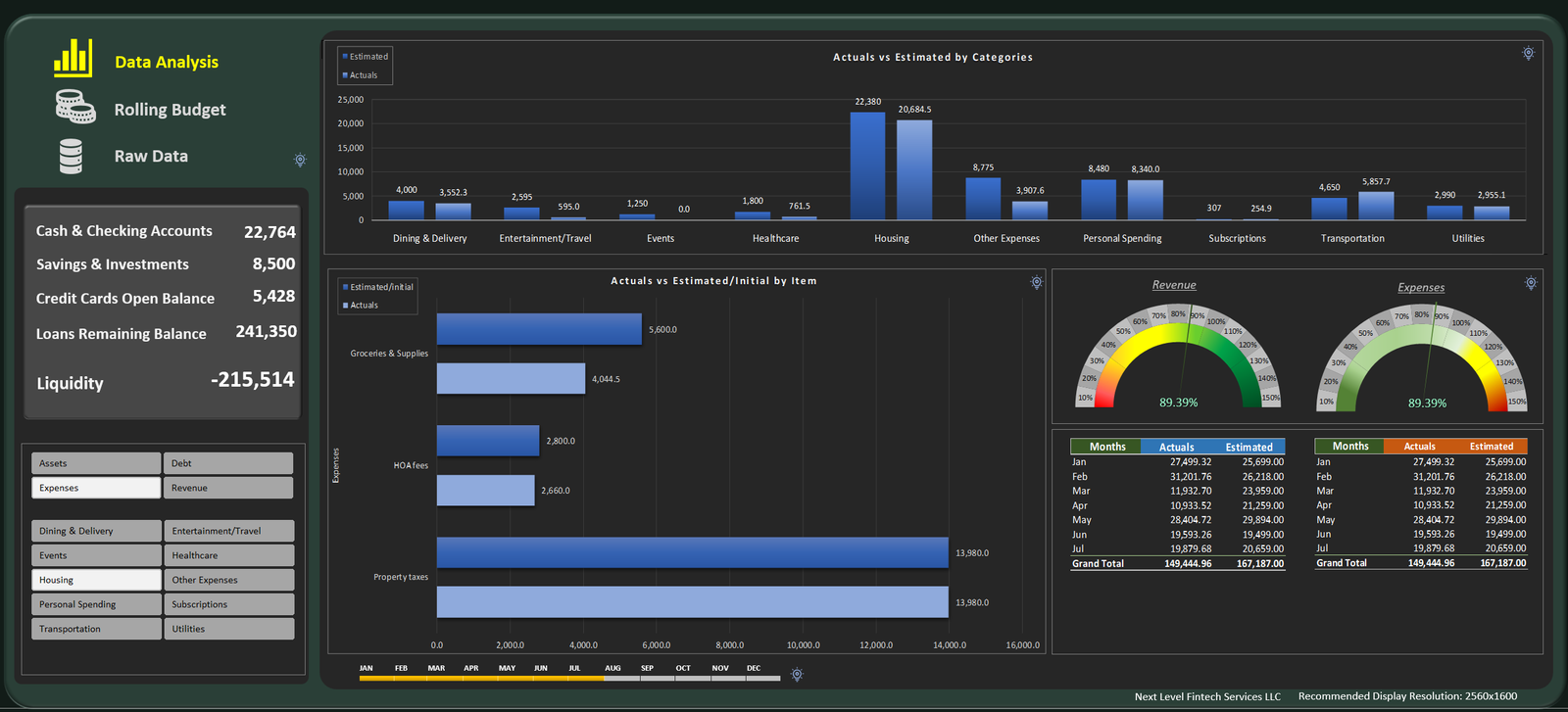
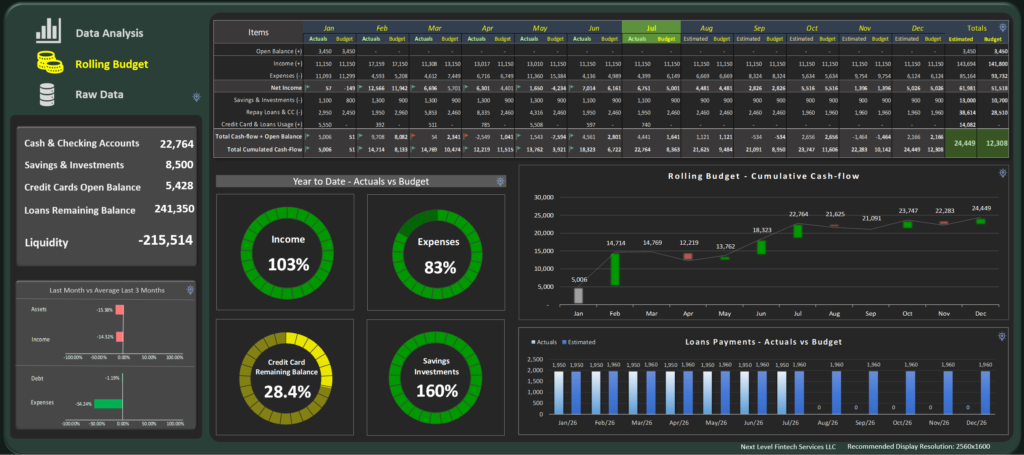
This comprehensive workbook serves as a central command center for your annual finances. It combines granular monthly tracking with high-level annual projections to give you total clarity over every dollar with your income, expenses, bank accounts and savings.
Key Features
Accelerated Debt Relief Engine: Utilize built-in Debt Snowball or Debt Avalanche calculators.
Visualize your “Debt-Free Date” in real-time as you apply extra payments.
Track interest savings over time to stay motivated.
Dynamic Annual Forecasting:
Project your end-of-year net worth based on current saving and spending trends.
“What-If” scenarios: See how a salary change, tax refund, or unexpected expense impacts your December balance.
Categorized Cash Flow Monitor:
Automated percentage breakdowns for Needs, Wants, and Obligations.
Visual heat maps to identify “spending leaks” in your monthly habits.
Sinking Funds Manager:
Plan for non-monthly expenses (insurance premiums, holidays, car maintenance) so they never feel like “emergencies.”
The 12-Months Vision
Unlike a standard monthly budget, this tool focuses on velocity and accuracy. By inputting your fixed costs and variable targets, the spreadsheet generates a trajectory for the entire year.
Pro Tip: Update your “Actuals” every Sunday evening or twice a week. The spreadsheet will automatically adjust your remaining monthly “Safe-to-Spend” amount, ensuring your debt repayment goals stay on track without guesswork.
Requirements
This budget tool requires the Desktop version of Microsoft Excel (M365 or 2021+) on Windows. It is not compatible with Excel for Web, Mobile, Google sheets or Mac.
Hardware/Equipment: Depending on the volume of transactions, we recommend a minimum of
- RAM: Minimum of 8GB
- Processor: Modern multi-core processor (Intel i5/Ryzen 5 or better)
- Storage: 10 Mb free space for the file and data
Skills Needed: No formula knowledge is required! You only need to be comfortable entering data into formatted tables. We’ve used Power Query to handle the heavy lifting, so please do not rename or delete existing column headers.
Reviews
There are no reviews yet.