
Overview
Take control of your finances without the overwhelm. This light version of our annual budget spreadsheet is designed for simplicity, clarity, and real results—giving you everything you need to manage your money in one easy-to-use file.
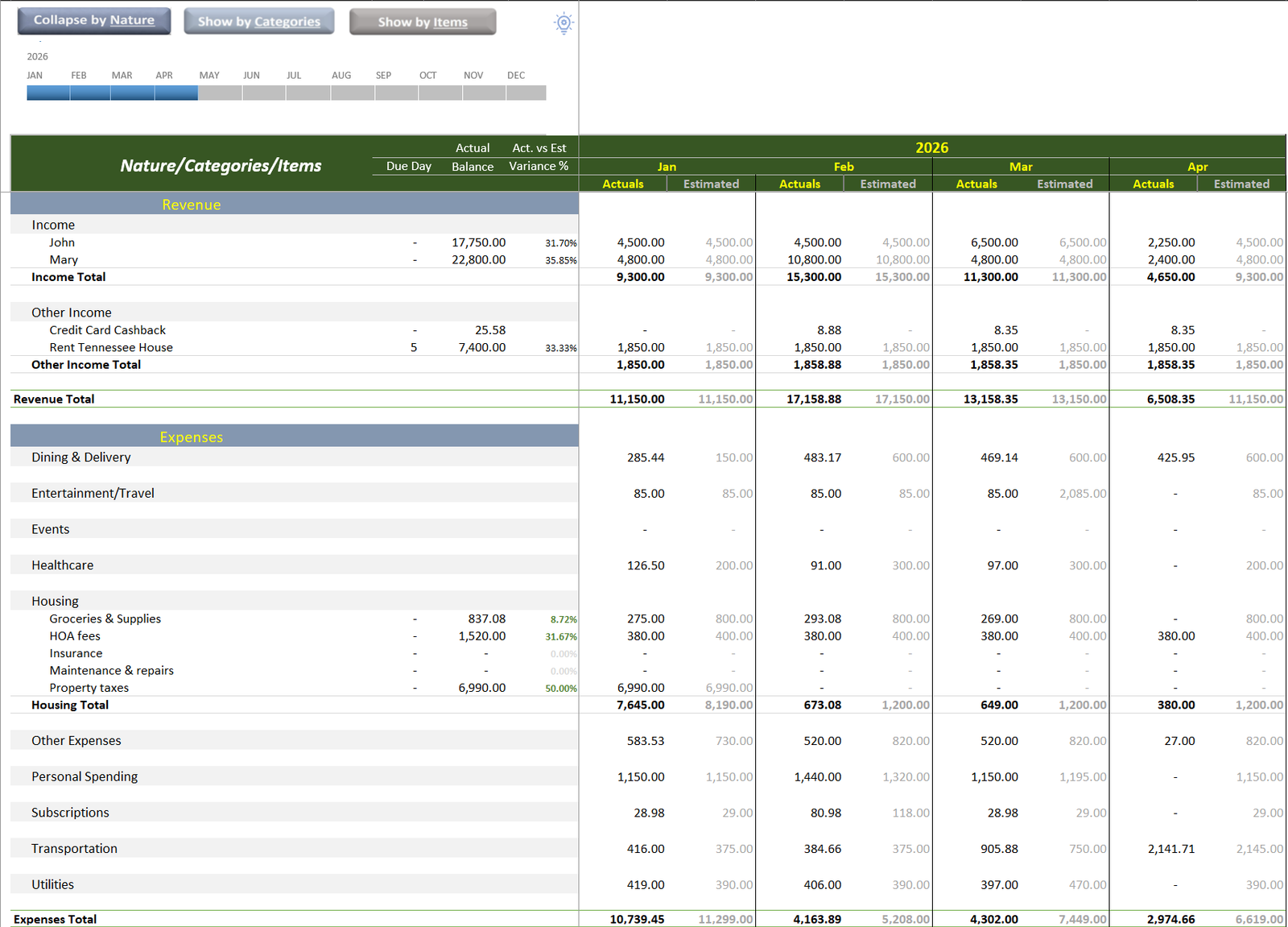
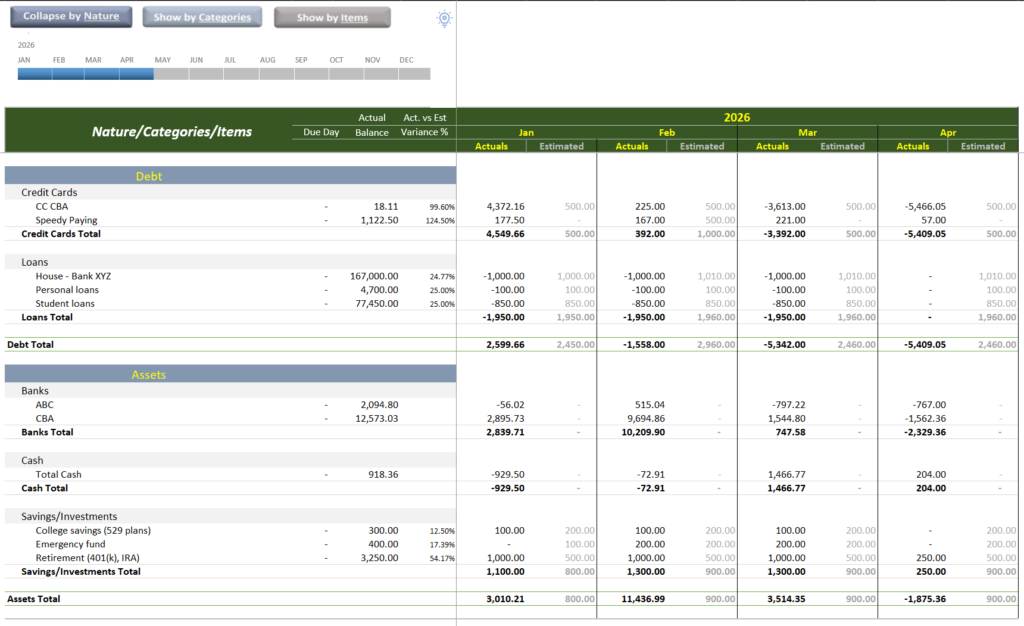
Track your income and expenses, monitor multiple bank accounts, keep an eye on debt balances, and build your savings—all in a clean, streamlined layout that’s quick to update and easy to understand. No complicated setup, no unnecessary features—just the essentials that matter.
At the heart of the spreadsheet is a powerful, automated pivot table that brings everything together. Instantly see a clear summary of your yearly finances, including total income, spending by category, account balances, debt progress, and savings growth—all at a glance.
Perfect for individuals or households who want a straightforward budgeting tool, this light version helps you stay organized, make smarter financial decisions, and keep your goals on track—without the complexity of heavy financial software
Pro Tip: Update your “Actuals” every Sunday evening or twice a week. The spreadsheet will automatically adjust your remaining monthly “Safe-to-Spend” amount, ensuring your debt repayment goals stay on track without guesswork.
Requirements
This budget tool requires the Desktop version of Microsoft Excel (M365 or 2021+) on Windows. It is not compatible with Excel for Web, Mobile, Google sheets or Mac.
Hardware/Equipment: Depending on the volume of transactions, we recommend a minimum of
- RAM: Minimum of 8GB
- Processor: Modern multicore processor (Intel i5/Ryzen 5 or better)
- Storage: 10 Mb free space for the file and data
Skills Needed: No formula knowledge is required! You only need to be comfortable entering data into formatted tables. We’ve used Power Query to handle the heavy lifting, so please do not rename or delete existing column headers.
Reviews
There are no reviews yet.