
Plans and prices
Quantum Budget™
Light shows where you stand.Pro also shows where you are heading.
The budgeting tool we make and coach with. Have it online, by subscription, or in Excel, bought once. Either way it comes in Light and in Pro.
Online: 30 days free on either plan. Your card is not charged for 30 days, and if you cancel within them you pay nothing.
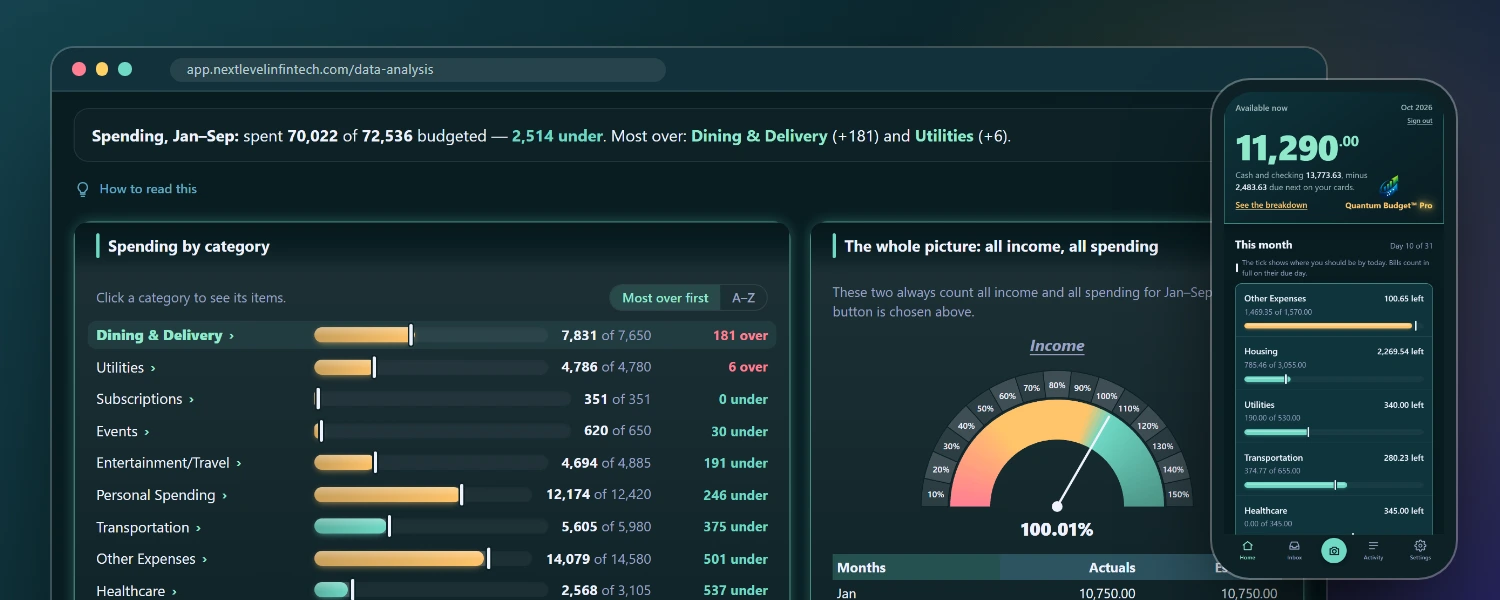
Sample household · Quantum Budget Pro online, in a browser and on a phone
Sample household · Quantum Budget Pro online, in a browser and on a phone
Light or Pro
The same budget. Pro looks further ahead.
You set the budget for the year. Light shows where you stand against it. Pro also shows where you are heading. It is the same online and in Excel.
An illustration, drawn without figures. Yours come from your own budget and entries.
Quantum Budget Online, in a nutshell
Plan the year, then keep it up in seconds
Everything the online app does for a household, on your computer and on your phone.
Plan the year
- Your whole year, month by monthIncome, spending, savings and debt payments for all twelve months, with each bill’s due day.
- Next yearStarts from this year’s budget, from this year’s actual figures, or from a clean page.
Keep it up in seconds
- Entries in secondsType a supplier once and the rest fills in, or bring in your bank’s file.
- Snap the receiptPhotograph it at the till and classify it later.
- On your phoneAdd and correct entries, see where you stand.
See where you stand, any day
- Available nowThe money you can really use today.
- This month at a glanceEvery category against its budget, with a mark for where you should be by today.
- Credit cards, handled properlyStatement and due dates, and the card to pay soonest first.
See where you are heading
- The Rolling BudgetA forecast of the rest of your year that updates as you enter.
- Dashboard Pro and Data AnalysisWhere the year is heading, what moved it, and how your plan is doing.
- The Debt-Free PlanYour debt-free date and the order to pay in.
The small pictures are illustrations, with a sample household’s figure. Yours come from your own budget and entries.
Every feature, in full
Your whole year, month by month
Income, spending, savings and debt payments for all twelve months, with each bill’s due day. Next year starts from this year’s budget, from this year’s actual figures, or from a clean page.
Entries in seconds
Type a supplier once, and next time its category, its budget line and how you paid fill in by themselves. Presets for entries that repeat, like a paycheck split several ways. Or bring in the list your bank already offers for download: lines you have already entered are recognised, and next month’s file arrives filled in.
Snap the receipt
Photograph it at the till and classify it later. Your phone reads the photo and fills in who you paid and the total for you to check, and remembers a shop once you have named it. The photo stays on your phone, and is deleted when the month closes.
Available now
The money you can really use today: cash and checking, less what is due next on each card. What has gone on the cards since their last statement is shown beside it.
Credit cards, handled properly
Each card’s statement and due dates, paid in full or being paid down, instalment plans and balance transfers, and the card to pay soonest first.
This month at a glance
Every category against its budget, with a mark for where you should be by today. Bills count in full on their due day, and the ones due in the next seven days are listed.
On your phone
Put it on your phone’s home screen: add and correct entries, see where you stand, clear the receipts waiting in the Inbox. Light or dark, on the phone and on the computer.
Your figures are yours
Download every entry and every budget as a spreadsheet whenever you like. Already keep a Quantum Budget workbook? Bring it in and carry on from where you are.
Read it in your own language
Quantum Budget is written in English, and your browser can translate it as you go. Your figures and dates are never touched by the translation. How to switch it on
A login for each of you
Up to six logins per household, yours included: adults only, each with their own password, at no extra charge.
Eight ways to budget
Traditional, 50/30/20, zero-based, pay yourself first, paycheck, one number, variable income and priority. Change the way whenever you like: no entry or figure changes.
The Rolling Budget
A forecast of the rest of your year that updates as you enter.
Dashboard Pro and Data Analysis
Where the year is heading and what moved it, this month so far, and any months you choose by category and item: the lines worth a second look, and who you paid most. Plan health reads five measures of your own plan as one: your cushion, your cards, staying on budget, the weight of your debt, and the money you keep.
The Debt-Free Plan
Your debt-free date and the order to pay in, highest rate or smallest balance first. Slide an extra amount each month and watch the date move, with what each loan will cost in interest.
Quantum Budget Online
On your computer and your phone
A web app, by subscription, in any browser. Put it on your phone’s home screen and enter a purchase wherever you are, with a photo of the receipt.
Quantum Budget Light
This year, as it stands.
- Your year’s budget, month by month, with due days for the bills
- Entries on a computer or on your phone, receipt photo and all
- Bring in your bank’s own file, with no bank login
- Every account’s balance, and what is available now
- Credit card statement cycles and payoff plans
- Dashboard Light: budget against what really happened
- Bring in your Quantum Budget workbook; download everything, any time
Quantum Budget Pro
Everything in Light, and the months still to come.
- Everything in Light
- The Rolling Budget: a forecast of the rest of your year
- Dashboard Pro and Data Analysis
- Plan health: five measures of your plan, read as one
- The Debt-Free Plan: your debt-free date and the order to pay in
- What each loan will cost in interest
Founders’ offer: the first 100 households keep today’s price for as long as they stay subscribed. Ends Jan/31/27.
30 days free on either plan. Your card is taken at the start and not charged for 30 days; cancel within them and you pay nothing. Renews until you cancel.
Quantum Budget for Excel
A workbook you buy once
Downloaded straight after buying, and kept in a file on your own computer. No subscription.
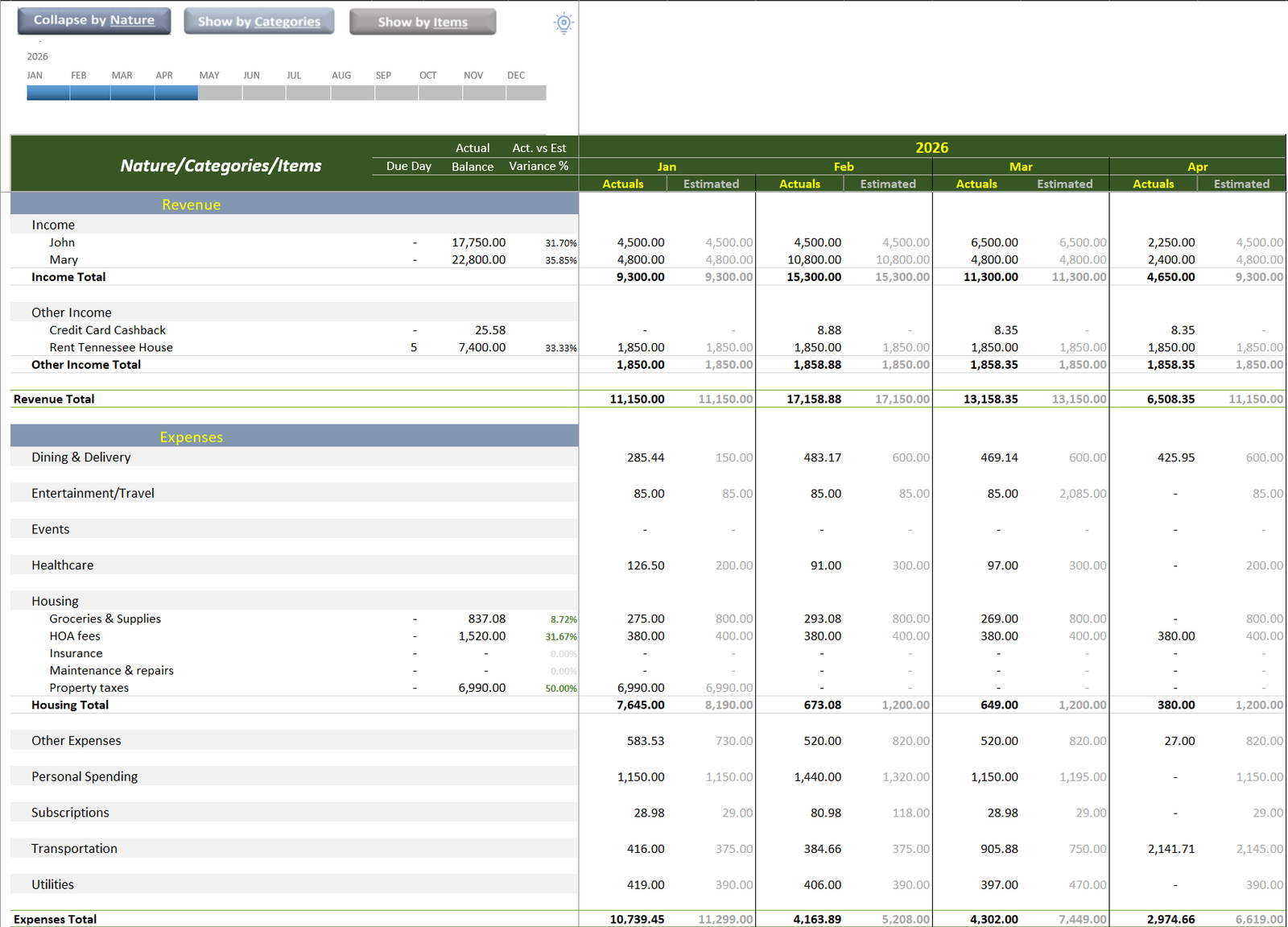
Quantum Budget Light
This year, as it stands.
- Income, expenses, bank accounts, debt and savings in one file
- A summary of the year that updates itself
- Quick to set up, simple to keep going
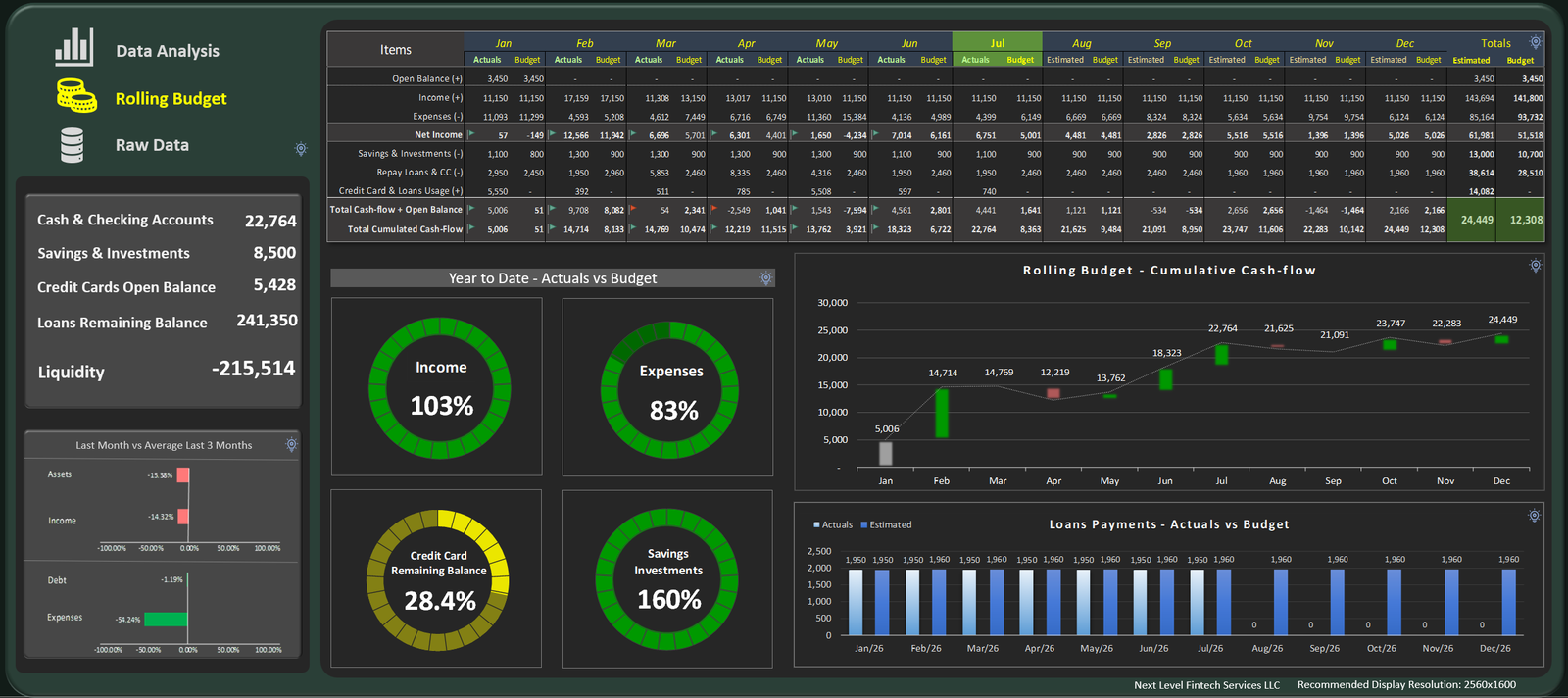
Quantum Budget Pro
Everything in Light, and the months still to come.
- Monthly tracking with a 12-month forecast
- A debt plan by snowball or avalanche, with your debt-free date
- Sinking funds, cash flow charts and what-if scenarios
It needs Microsoft Excel for Windows desktop: Microsoft 365, or Excel 2021 and later. The pictures are the workbooks’ own screens, with sample figures.
Two ways to have it
Online or in Excel
The same budget either way. The honest differences, side by side.
Online
Subscription · any browserFor Excel
Bought once · your own computerRather set it up with someone?
Personal financial coaching, one to one
A private 60-minute session: your situation mapped out, the budget fitted to how you live, and a plan for the next 12 months. Coaching is about budgeting and financial organization. It is not investment, legal or tax advice.
Coaching sessions are available to clients in the United States.
Said plainly, before you start
What Quantum Budget is not
Quantum Budget does not connect to a bank. You enter your figures, or bring in the file your bank already offers for download.
Quantum Budget does not hold or move your money. The decisions stay yours.
It gives no financial or investment advice, and it promises no results.